


Telehealth by SimplePractice
4.513.58K Reviews
App Specs
- Version
- 4.2.3
- Updated On
- License
- Free
- Downloads
- 1,000,000+
- Developer
- SimplePractice
- Categories
- Medical
- Platform
- Android, iOS
Screenshots
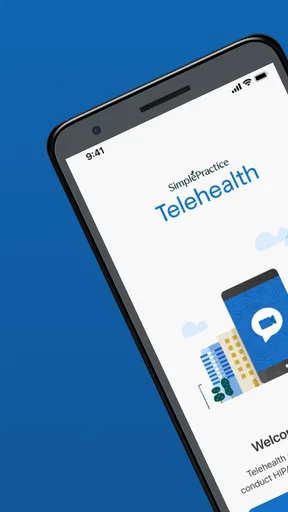
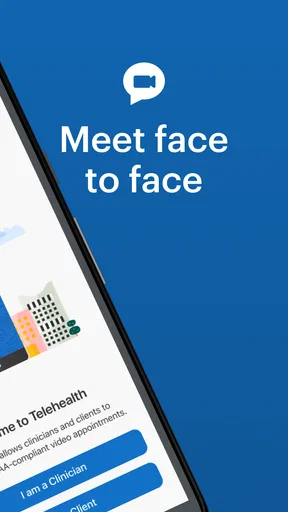
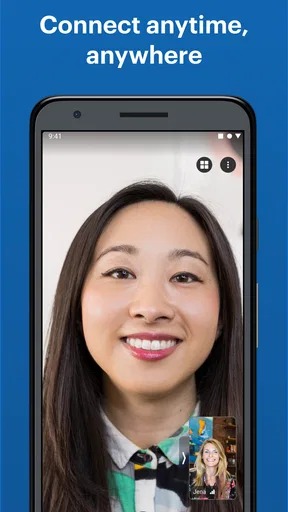

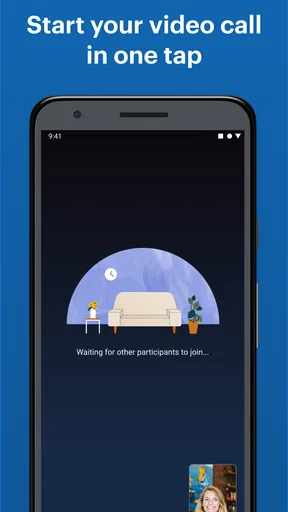
 Analysis by AppCompare
I find Telehealth by SimplePractice most useful when a video appointment needs to fit around ordinary life without turning into a complicated tech project. It is a medical app from SimplePractice, aimed at connecting practitioners and clients remotely. That makes it a more focused choice than a general-purpose video-calling app, though it still depends on the practical basics: a working connection, a suitable place to talk, and both people knowing how to join.
The app is free, rated for Everyone, and has reached over a million installs. Its average rating is 4.5 from around 31,000 ratings, with roughly 12,000 written reviews. Those figures suggest that plenty of people use it, but I would treat them as context rather than a promise that every appointment will go smoothly. Telehealth is currently at version 4.1.7 and supports devices running Android 7.0 or later; the app was released on May 3, 2018.
When the connection matters most
The most important moment is not browsing around the app; it is the transition into a live appointment. Video calls are sensitive to weak or changing internet, so I would check the connection before an important session rather than waiting until the other person is on the call. A stable home Wi-Fi connection is often the calmer option, but a reliable mobile connection can be useful when home internet is unavailable. Either way, I would avoid starting from a spot where the signal is already fluctuating.
That small bit of preparation is especially helpful for therapy or counseling, where a broken conversation can interrupt the flow in a way that a dropped call with a friend might not. I’d also close unrelated apps that are actively using the network, and let anyone else at home know when I need a steady connection. These are ordinary video-call habits, but they matter more when the appointment itself is the reason for opening the app.
Using it in everyday settings
Telehealth makes the most sense when getting to an in-person appointment is difficult or when a remote session is already part of the care plan. For example, someone who has a quiet room at home and a dependable connection can attend without commuting. A practitioner can also use a mobile device when away from a desk, as long as the setting is private and the connection is good enough for a conversation.
I would be more cautious about joining from a café, a moving vehicle, or a shared room. Even if the network works, background noise and nearby people can make it harder to speak freely. A pair of headphones, a charged device, and a private room are simple ways to improve the experience without assuming the app can solve environmental problems for you.
If a call falters
When a video call becomes choppy, I would first check whether the problem is limited to the connection or whether the device itself is struggling. Moving closer to the router, switching to a stronger available network, or pausing other network-heavy activity may help. If the call drops, a quick message or agreed backup contact method can help both people decide what to do next; it is sensible to establish that plan with the practitioner before a session begins.
Worth Reading Before You Choose

EA SPORTS FC Mobile 26 Is a Bigger Football Game, but It Takes Time

Flipboard Shows What News Apps Must Do Beyond the Feed

Switching to Android Auto Means Rethinking Your Driving Routine

Google Calendar Makes a Crowded Week Easier to Manage

Ludo King Makes the Most of the Minutes Between Plans

Baby Panda World Brings Quick Play to Modern Phones, but Its Game Library Feels Busy
This is one area where expectations matter. A dedicated telehealth app can make the appointment workflow more focused than a casual video chat, but no app can guarantee a steady internet connection at both ends. If you often have unreliable service, consider arranging a backup time or a phone alternative with your provider rather than relying on last-minute troubleshooting during a sensitive conversation.
Privacy, data, and practical preparation
Because this is a medical setting, I would think about privacy as part of setup, not just as a technical feature. Use a device you can keep in your control, choose a place where others cannot overhear, and check what is visible behind you. A secure platform is reassuring, but good habits still matter: avoid public Wi-Fi for a private appointment when you have a more trusted connection available, and do not leave a session open where someone else might access your device.
If you are mindful of mobile data, video is the part of a remote appointment most likely to make you think about your connection plan. I would use Wi-Fi when it is dependable and save cellular data for situations where it is the better option. You can also ask your practitioner what to expect if video is not workable on a particular day. That gives you a practical plan without assuming the app offers a specific low-data mode or an offline option.
How it fits a practitioner’s workflow
Compared with arranging a video call through a general meeting app, a telehealth-specific tool is a more natural fit when the conversation is an appointment rather than a casual catch-up. The appointment context can reduce the feeling of juggling unrelated tools, while reminders can help both sides remember the session. Still, people who only need an occasional informal video chat may find a general calling app simpler, and anyone who needs in-person care should not treat a video app as a substitute for the care their practitioner recommends.
One useful habit is to test the practical setup before the first session: make sure the app is installed, your device is charged, and you know where you can sit privately. If you are helping a less confident family member get ready, walk them through opening the app and joining before the appointment day. That short rehearsal can prevent a stressful scramble when the session is due to begin.
Getting Started with Ease
First off, setting up Telehealth by SimplePractice is a breeze. Whether you’re a tech wizard or a bit of a novice, the app’s user-friendly interface makes the process smooth. You download it, punch in your details, and voilà, you’re ready to rock and roll. The app is available on both Android and iOS, so no matter your allegiance, you’re covered.
Features That Shine
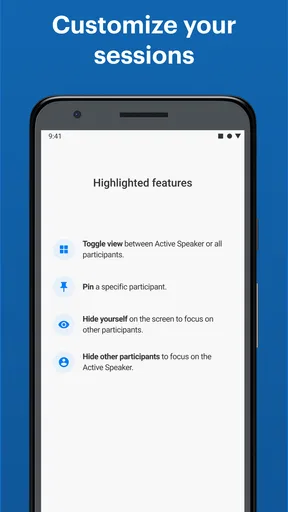
What really sets this app apart are its robust features. You can schedule, manage, and conduct appointments all from your device. The video quality is top-notch, so you won’t have to deal with those awkward "Can you see me?" moments. Plus, the secure platform means you and your clients can share information with peace of mind.
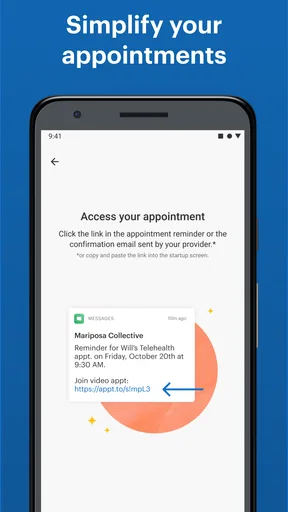
One feature I found particularly nifty is the automatic appointment reminders. No more "Oops, I forgot!" excuses from clients. The app sends out reminders, making sure everyone’s on the same page.
A Few Things to Consider
While the app is pretty solid, there are a couple of things to note. You’ll need a decent internet connection to avoid any glitchy calls. Also, while the app is super for professionals, clients might need a bit of guidance the first time they use it. But hey, a quick walkthrough usually does the trick.
Final Thoughts
In the ever-evolving landscape of digital therapy, Telehealth by SimplePractice is a standout tool for professionals looking to enhance their practice. It’s convenient, reliable, and packed with features that cater to both therapists and clients. If you’re looking to streamline your sessions and boost efficiency, it’s definitely worth checking out. So, grab your phone, and give it a try. Happy connecting!
Pros
- User-friendly interface simplifies navigation.
- Secure video calls ensure patient privacy.
- Easy scheduling with automated reminders.
- Comprehensive patient notes integration.
- Supports multiple providers in one practice.
Cons
- Limited offline functionality.
- Occasional connectivity issues reported.
- High subscription costs for small practices.
- Requires strong internet connection.
- Limited customization for branding.
FAQs for Telehealth by SimplePractice
What is Telehealth by SimplePractice?
Telehealth by SimplePractice is a comprehensive platform designed for healthcare professionals to conduct secure, HIPAA-compliant video sessions with clients. It integrates seamlessly with the SimplePractice suite, offering features like appointment scheduling, billing, and secure messaging. This app is ideal for therapists, counselors, or any healthcare providers offering remote services.
Is Telehealth by SimplePractice secure for video consultations?
Yes, Telehealth by SimplePractice is highly secure and compliant with HIPAA regulations. It uses end-to-end encryption to ensure that all video sessions are private and secure, safeguarding both practitioner and client data. The platform is designed to meet the rigorous standards required for sensitive healthcare communications.
What are the main features of Telehealth by SimplePractice?
Telehealth by SimplePractice offers features including high-quality video sessions, appointment scheduling, billing integration, and secure client communication. It also provides session reminders and customizable notes. This makes it a comprehensive tool for managing both clinical and administrative tasks in one place.
Can clients access Telehealth by SimplePractice easily?
Yes, clients can access Telehealth by SimplePractice with ease. They receive an email or text with a secure link to join a session from any device with internet access. There is no need for clients to download any app, making it extremely user-friendly and accessible for all demographic groups.
What devices are compatible with Telehealth by SimplePractice?
Telehealth by SimplePractice is compatible with a wide range of devices, including smartphones, tablets, and computers. It supports both Android and iOS platforms, as well as major web browsers. This ensures that both providers and clients can access the service from virtually any device with a stable internet connection.


